Temperature measurements from sensors installed in individual rooms form the basis of DSVT's heating and cooling control.
DSVT uses temperature sensors available in Domoticz. Therefore, the required sensor devices must be prepared before configuring the zones.
DSVT supports up to 12 independent zones. At least one working temperature sensor must be assigned to each zone being used.
DSVT is not limited to a particular sensor type or communication technology.
For example, the following devices can be used:
If a sensor already appears in the Domoticz device list and its measurements are updated correctly, there is no need to create an additional virtual temperature sensor.
Virtual devices are primarily required when temperature measurements are transmitted to Domoticz through a custom MQTT, HTTP, or other communication solution.
If a virtual temperature sensor is required, a Dummy hardware device must first be created in Domoticz.
Open:
Setup → Hardware
From the hardware types, select:
Dummy (Does nothing, use for virtual switches only)
Give the hardware device a suitable name, for example:
Virtual Temperature SensorsThen click the Add button.
If Dummy hardware already exists in Domoticz, you can use it instead of creating another one.
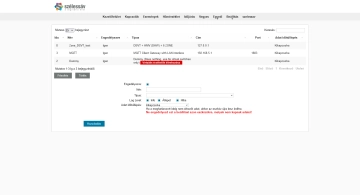
After creating the Dummy hardware, click Create Virtual Sensors in its row.
A window for creating a new virtual device will appear.
Enter the sensor name and select its type.
Use clear and descriptive names that identify the room or measurement location.
For example:
Avoid generic names such as "Temperature Sensor 1" or "Temperature Sensor 2", as these can make identification difficult in larger installations.
If several sensors are installed in the same room, including the measurement location in the name is recommended.
For example:
When creating a virtual device, select the type of measurement data it will provide.
If the sensor measures temperature only, select Temperature.
This is suitable for conventional heating systems where only the current room temperature is required.
If the sensor measures both temperature and relative humidity, select Temp + Humidity.
This is particularly recommended for zones where DSVT performs dew point-based cooling control.
DSVT can calculate the room's dew point from temperature and relative humidity measurements. This information is important for condensation prevention in radiant cooling systems.
Important: room temperature measurements alone are not sufficient for reliable dew point calculation. Relative humidity data is also required.
After selecting the appropriate device type, create the sensor.
Domoticz assigns a unique identifier, known as an IDX, to every created or integrated device.
DSVT uses this identifier to determine which sensor measurements belong to each zone.
After creating the temperature sensor, open:
Setup → Devices
Find the newly created sensor and check its IDX identifier.
If you are preparing several sensors, recording their names and IDX values can be helpful. However, the DSVT HTML configuration interface also allows devices to be selected later.
Creating a virtual temperature sensor does not automatically provide actual temperature measurements.
Sensor readings must be transmitted to Domoticz using an appropriate communication method.
This can be achieved through:
Before configuring DSVT, verify that the device displays the actual room temperature and that its readings are updated at appropriate intervals.
Important: sensors providing outdated or incorrect readings can affect the operation of the zone control system.
Once all required temperature sensors are available in Domoticz, they can be assigned to individual zones through the DSVT HTML configuration interface.
At least one suitable temperature sensor must be assigned to each active zone.
DSVT also allows the same sensor to be assigned to multiple zones.
This can be useful, for example, when several separately controlled heating or cooling circuits serve the same room and share a common temperature measurement.
Multiple temperature sensors can be assigned to a single zone.
In this case, DSVT can use the average of valid sensor readings as the current zone temperature.
Averaging can be particularly useful in larger rooms where temperatures may vary between different measurement locations.
For example:
The average temperature is:
(22.0 + 23.0 + 22.5) / 3 = 22.5°C
This allows zone control to use measurements from multiple locations rather than relying on a single sensor.
However, averaging requires appropriate sensor placement. Avoid sensors exposed to direct sunlight, radiator heat, or significant draughts.
Correct sensor placement is just as important as measurement accuracy for reliable zone temperature control.
When installing temperature sensors, consider the following recommendations:
Appropriate positioning helps reduce measurement errors caused by local heat sources or airflow.
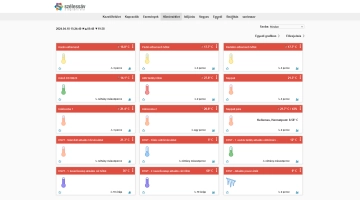
The following image shows temperature sensors created in the Domoticz system.
Before configuring DSVT zones, verify that all required sensors appear in the Domoticz device list and that their measurements are updated regularly.
The first step in configuring DSVT zone control is preparing the required temperature sensors.
These can be existing devices already integrated into Domoticz or, where necessary, virtual temperature sensors created using Dummy hardware.
In addition to temperature measurements, humidity measurements may also be important, particularly for dew point-based cooling systems.
Once the sensors have been correctly named, positioned, and configured, they can be assigned to individual zones through the DSVT HTML configuration interface.
Accurate and reliable temperature measurements are essential for the proper operation of DSVT's heating and cooling control system.