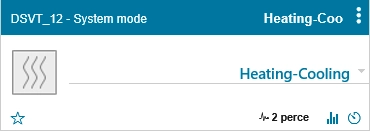

Six different operating modes are currently available to match different system configurations. This allows unnecessary functions to remain hidden and keeps the user interface clear and easier to use.
- Heating and cooling
- Heating, cooling and domestic hot water (DHW)
- Heating, cooling and buffer tank
- Heating, cooling, DHW and buffer tank
- DHW only
- Buffer tank only
After selecting an operating mode, the system restarts and loads and configures the functions required for the selected mode. This process takes approximately 30–40 seconds. During this time, further selections are queued. We therefore recommend waiting until the process has completed before continuing with the configuration.
We aim to use short but informative names for settings and parameters. In some cases, these descriptions are too long to fit completely within the configuration interface. If part of the text is not visible, move the mouse pointer over it and keep it there briefly. A tooltip will display the full text.
Please read the names of switches and parameters carefully. In some cases, two settings may differ by only a single word, but that difference can have a significant effect on how the system operates.