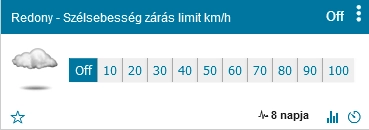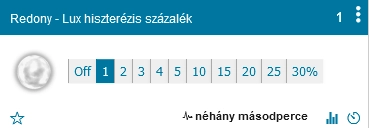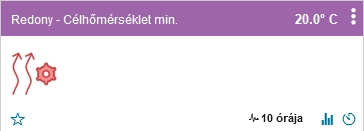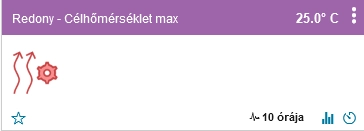
ASC (Automatic Shutter Controller) provides two types of user interface in Domoticz. Standard Domoticz devices allow you to configure operating modes, temperature and light thresholds, and protective functions. The dedicated HTML configuration interface lets you view and edit the complete 36-state control matrix.
In addition to configuration settings, the system displays current measured or calculated values, the selected operating state, and the desired shutter position.
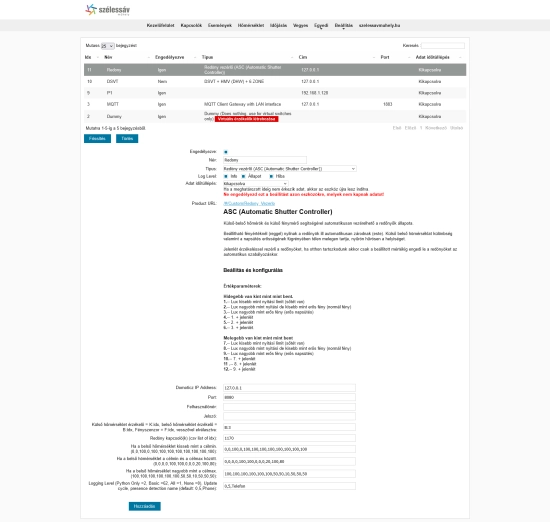
The ASC controller can be created and initially configured under Setup → Hardware in Domoticz.
This page allows you to configure Domoticz connection settings, sensor and shutter switch device IDs (IDX), shutter positions for the three indoor temperature ranges, the update interval, and optional presence detection settings.
A single ASC controller can manage multiple shutters. Separate controller instances are recommended for rooms with different orientations or usage requirements.
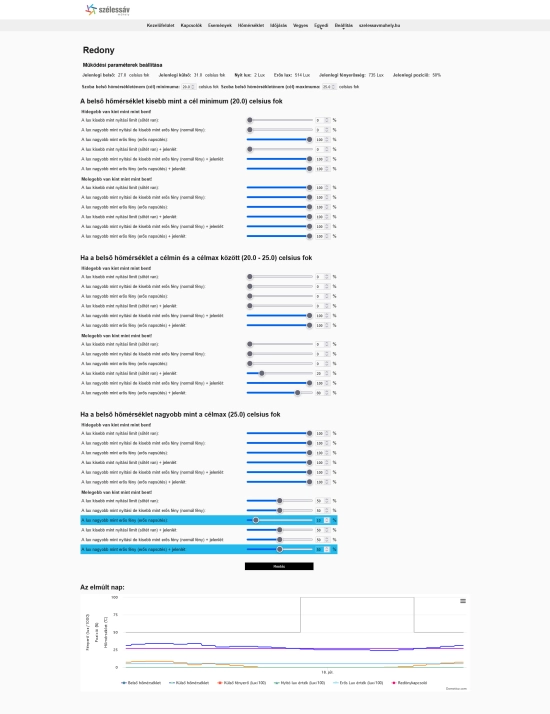
The detailed configuration interface is accessible through the Domoticz Custom → ASC_Shutter_Redony menu.
For each controller instance, the interface displays the current indoor and outdoor temperatures, the opening and strong-light thresholds, the current illuminance, and the percentage-based shutter position.
The 36 operating states are divided into three indoor temperature ranges: below the minimum target, within the desired range, and above the maximum target.
Within each temperature range, the relationship between indoor and outdoor temperatures, three light intensity levels, and presence detection determine which shutter position is selected.
The currently selected operating state is highlighted in color. This makes it easy to identify which matrix value the controller is using under the current environmental conditions.
Presence and absence have separate shutter position settings, allowing the controller to balance energy efficiency, occupant comfort, and the need for natural daylight.
Positions can be adjusted using the sliders and then saved. In Automatic mode, updated settings take effect during the next control cycle.
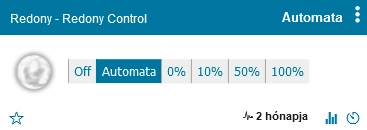
The operating mode selector created in Domoticz determines how ASC controls the shutters.
You can switch between Automatic mode and fixed percentage-based positions at any time. The physical meaning of each percentage depends on the shutter actuator and its configuration.
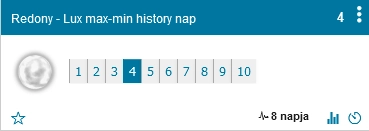
This selector determines how many previous days of illuminance data the controller uses when calculating the opening and strong-light thresholds.
The controller calculates average minimum and maximum values from the stored measurements within the selected period. These values are then used to determine the current light intensity thresholds.
A shorter history period allows the thresholds to adapt more quickly to changing conditions. A longer period generally results in more stable threshold values.
ASC uses two separate light intensity thresholds.
The controller also displays both calculated thresholds as separate Domoticz devices, allowing them to be compared directly with the current illuminance.
These settings should be adjusted according to sensor placement, room orientation, window size, and the characteristics of the building.
You can configure a wind speed threshold in km/h. When the measured or estimated wind speed exceeds this limit, ASC initiates a protective closing action.
The controller can use a local wind speed sensor available in Domoticz. If no local sensor is configured, it can use wind speed data obtained from Open-Meteo forecasts.
Forecast data has hourly resolution and cannot reliably detect sudden wind gusts. For sensitive outdoor shading systems, a suitable local wind sensor and the protective measures required by the manufacturer are particularly important.
When the wind speed exceeds the configured threshold, the controller sends a 0% position command to the shutters. The appropriate protective position must always be verified for the particular shading mechanism.
ASC also supports a separate vibration sensor, primarily intended to protect sensitive outdoor blinds and solar screens.
The Vibration sensitivity selector determines which sensor event should trigger protective operation, such as tilt, vibration, or free fall.
The Vibration closing time setting determines how long the protective state should remain active after a detected event.
This feature requires a compatible vibration sensor installed and correctly configured in Domoticz.
The plugin creates two separate alert devices in Domoticz:
Both alert devices can be displayed on the Domoticz dashboard, allowing users to monitor protective operation independently of the normal shutter control settings.
This is important because, during wind or vibration protection, the position command actually sent to the shutters may differ from the position selected by the 36-state control matrix.
Under changing cloud cover, illuminance can fluctuate significantly within a short period. If the light level repeatedly crosses a control threshold, the shutters may move unnecessarily often.
Lux hysteresis helps reduce this behavior. The controller compares the newly measured illuminance with the previously accepted value and uses the configured percentage to determine whether the new value should be accepted.
The hysteresis threshold is calculated as a percentage of the greater of the current measurement and the previously accepted lux value, with a minimum of 1 lux.
The controller also applies a separate condition when the opening threshold is reached or crossed from below, ensuring that significant transitions around this threshold are detected.
Properly configured hysteresis reduces unnecessary shutter movements while allowing the controller to respond to substantial changes in light intensity.
These two temperature settings define the desired indoor temperature range that ASC aims to help maintain through automated shading.
The default range is 20–25 °C, but both limits can be adjusted independently.
The controller distinguishes three indoor temperature conditions:
Each condition has 12 separately configurable shutter positions based on outdoor temperature, light intensity, and presence detection.
ASC does not directly heat or cool the room. Instead, it helps regulate solar heat gain and heat loss through the appropriate use of shutters and blinds.
Temperature hysteresis helps filter out small fluctuations in indoor and outdoor temperature measurements.
If a new temperature reading from a local sensor does not differ from the previously accepted value by more than the configured hysteresis, the controller retains the previous value.
This prevents very small temperature changes from causing unnecessary changes in the selected shutter control state.
Temperature hysteresis does not modify the minimum and maximum target temperatures. It only determines when updated readings from local temperature sensors are accepted by the control system.
Domoticz and the ASC HTML interface provide the information needed to monitor how the controller makes its decisions:
Configuration changes made through the interface are applied during the next control cycle in Automatic mode. The update interval can be configured in the hardware settings.
Additional information about installation and initial configuration is available on the related documentation pages. The complete source code and multilingual documentation are available in the ASC GitHub repository.